Encryption of synced content
Chats, previews, memories, settings and automations are encrypted before they sync, and only your paired devices can read them. Titles and paths are not.
Where in StudioStudio → Settings → Devices & security → Encryption
Updated View as markdown
On this page
Studio encrypts chat content, previews, memories, settings and automations on the device before they sync, and only devices paired with that device get a key to read them. Encryption is always on: there is no switch, and when keys are missing Studio pauses sync rather than send anything unencrypted. Some metadata, such as chat titles and project paths, is not encrypted, and neither is the live traffic of working on another device; both are listed below.
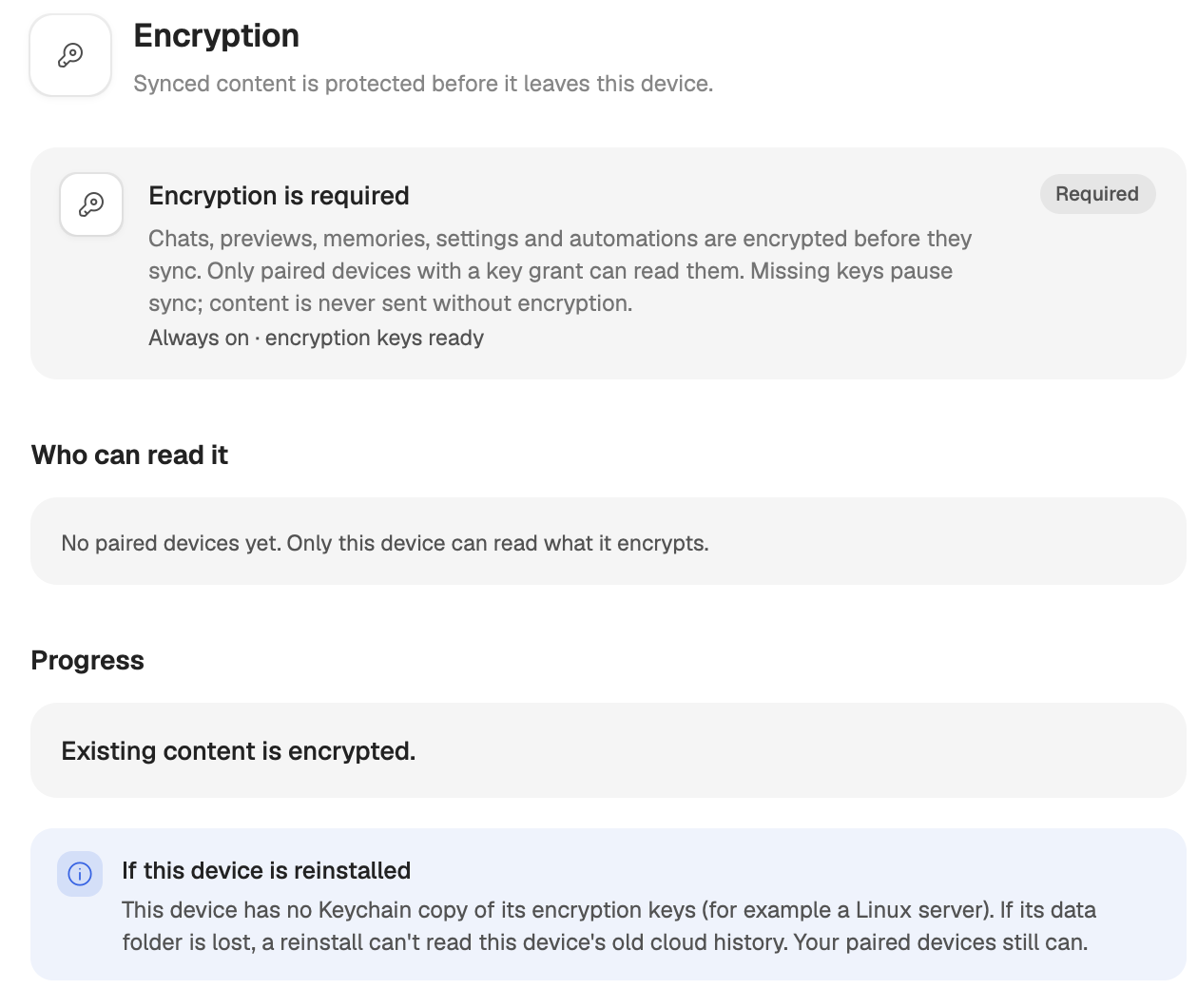
The Encryption pane
Where in StudioStudio → Settings → Devices & security → Encryption
The pane has four parts.
- Encryption is required, with the badge Required. Under it, a status line: Always on · encryption keys ready when everything is in place, or Waiting for encryption keys. Sync is paused. while this device has no key yet.
- Who can read it: one row per paired device, with how it is paired (Approved to work on this device, This device has access to it or Paired both ways) and a badge, explained below. With no paired devices, the pane says that only this device can read what it encrypts.
- Progress: how much of the content this device created before encryption is encrypted now, for example Chats this device hosts and Memories, settings and automations. Studio encrypts it on its own, and nothing is uploaded unencrypted while it works.
- If this device is reinstalled: whether the keys can be recovered (Keys and reinstalling).
| Badge | Meaning |
|---|---|
| Can read | The device has the key. |
| Waiting to sync | Its access is ready and syncs once the device is online. |
| Needs an update | It can read encrypted content after it updates Studio and comes online. |
| Can't verify | Its encryption setup does not match its pairing. Pair it again. |
On a server, or in any terminal, kelrova access encryption prints the same status.
The Encryption entry in the device list sums it up: On once everything is encrypted, or On with what is still in progress, such as On · encrypting… or On · waiting for devices.
What is encrypted
Encrypted on the device before it syncs:
- chat transcripts, including tool output and the full output of commands;
- the preview of each chat's last message;
- memories;
- settings that follow your account;
- automation and workflow definitions and their runs;
- scheduled chats.
Not encrypted:
- chat titles, and each chat's folder path, branch and similar details;
- project names and paths;
- the device list: names, systems, versions and when each device was last seen;
- daily token usage.
Content is encrypted with AES-256-GCM. Each device's keys reach your other paired devices sealed to that device's own key, and pairing in either direction lets both devices read each other's content.
What encryption does not cover
Working on another device live. When your Mac works on a server, the requests and replies travel through Kelrova's relay over TLS: file previews, terminal input and output, diffs and tool output. They are protected on the way, but they are not end-to-end encrypted, so the relay can read them. Approval still decides what may happen: the relay cannot start a read or a keystroke on its own, it only carries the ones a paired device makes. The one exception is copying an agent login to another device, which is sealed to the receiving device.
What a device already has. When you remove a device, your devices switch to a new key for new content, and the removed device does not get it. Content it already downloaded stays readable on it.
Items too large to sync encrypted. A memory, setting or automation that no longer fits once encrypted stays on this device, and the pane says so. A long memory can be shortened to sync again.
When a device has no key
A chat whose host has not shared a key with this device never shows encrypted text. Studio shows Pair with and the host's name, to read this chat., and Recent chats shows a lock line instead of the preview. Pair the two devices (Approved devices and signatures), and the chat opens once the key arrives.
When some of your devices run a Studio version that cannot read encrypted content, the pane names them and asks you to update them.
Keys and reinstalling
Each device keeps its encryption keys in its data folder. On a Mac, Studio also keeps a copy in the macOS Keychain, so reinstalling Studio for the same Mac user can still read the old synced history of that Mac. A Linux server has no Keychain copy: if its data folder is lost, a reinstall cannot read that server's old synced history. Your paired devices still can, because they hold the keys they were given.