Getting help
Open a ticket from Support in the portal, or reach Kelrova through the contact page before you sign up. What to check first and what to include.
Where in the portalSupport → New ticket
Updated View as markdown
On this page
Members get help inside the portal. Anyone else can reach Kelrova through the contact page.
Support in the portal
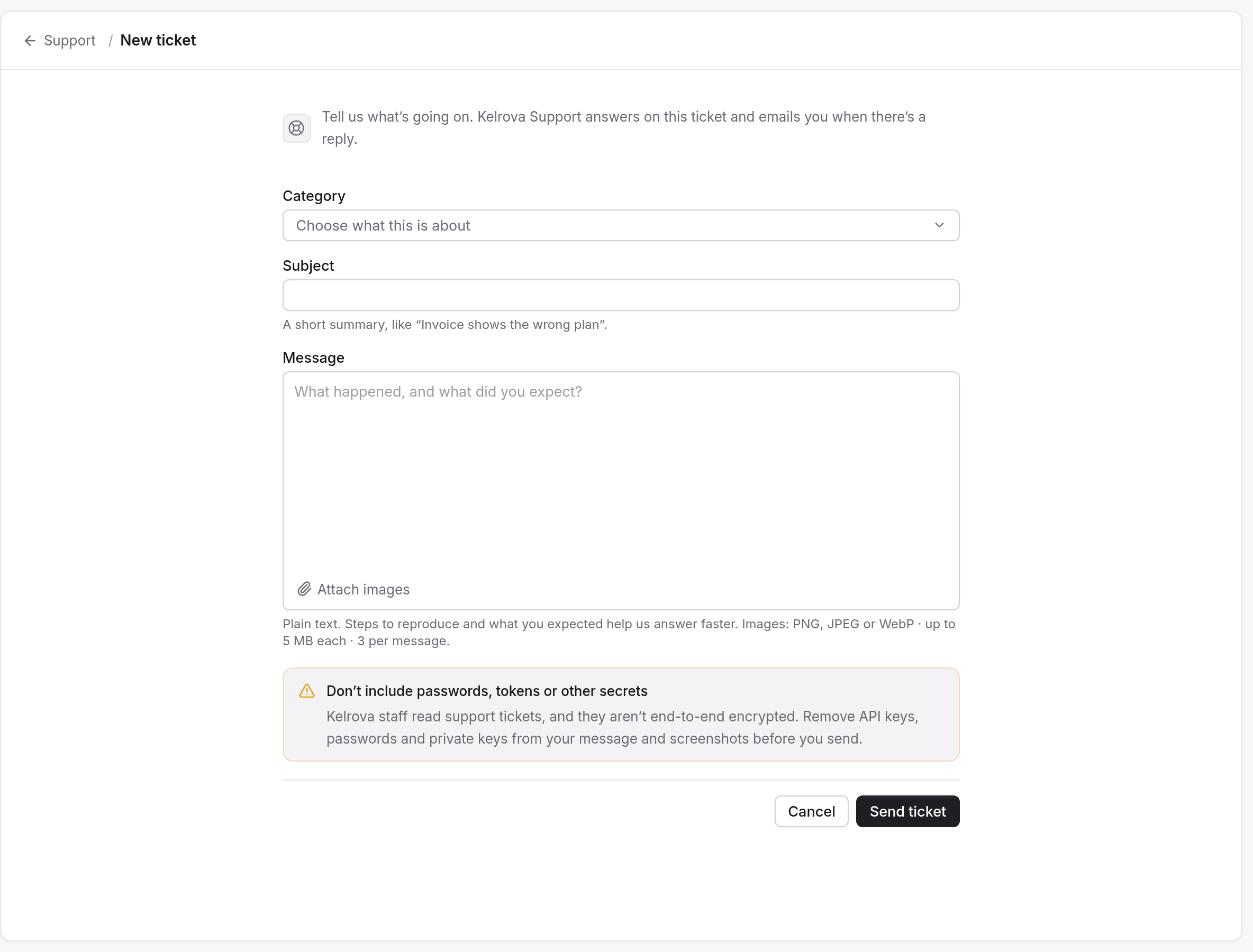
Open Support and choose New ticket. Pick a category, such as Cloud scans, Billing and plans, or Integrations, and describe what you need.
Contact us
The contact page is for questions before you sign up, Enterprise plans, or anything else. Enterprise plans are set up with us, with usage and limits set per organization.
Check these first
| If it is about | Look here |
|---|---|
| A scan that stopped, finished partial or was refused | Run your first scan and Limits |
| A code host that stopped working | Connect GitLab or Bitbucket covers a connection that needs attention |
| An agent that cannot connect or keeps signing in | Troubleshooting |
| Plans, the trial or usage | Questions people ask and Pricing |
| A word you do not know | Glossary |
What to include
A ticket is easier to answer when it says which project and which scan or finding it is about, what you expected and what you saw instead. Do not paste passwords, tokens or other secrets into a ticket.