Triage a findings list
Work a findings list from the top: tab, severity, kind, duplicates, status, tag, and a CSV export for what you hand on.
Where in the portalSecurity → Findings
Updated View as markdown
On this page
Triage is deciding what to do with each finding, most severe first. Work the list in this order: narrow it, clear duplicates, decide each finding's status, label what remains and export what you hand on.
Narrow the list
Lists show the most severe findings first. The tabs split the list by status: All, Open, Fixed, Accepted risk and False positive. Start on Open.
Choose Filter to narrow further:
| Filter | Choices |
|---|---|
| Severity | Critical, High, Medium, Low, Info; see Severities |
| Kind | Vulnerability, Cost risk, Hardening, Adversary; see What Kelrova finds |
| Duplicates | Not merged, Possible, Merged |
| Activity | All, With activity, Waiting for review |
| First found | All time, 24h, 7 days, 30 days |
| Last verification | Any verification, No verification recorded, Verified in last 24h, Not verified in 7 days |
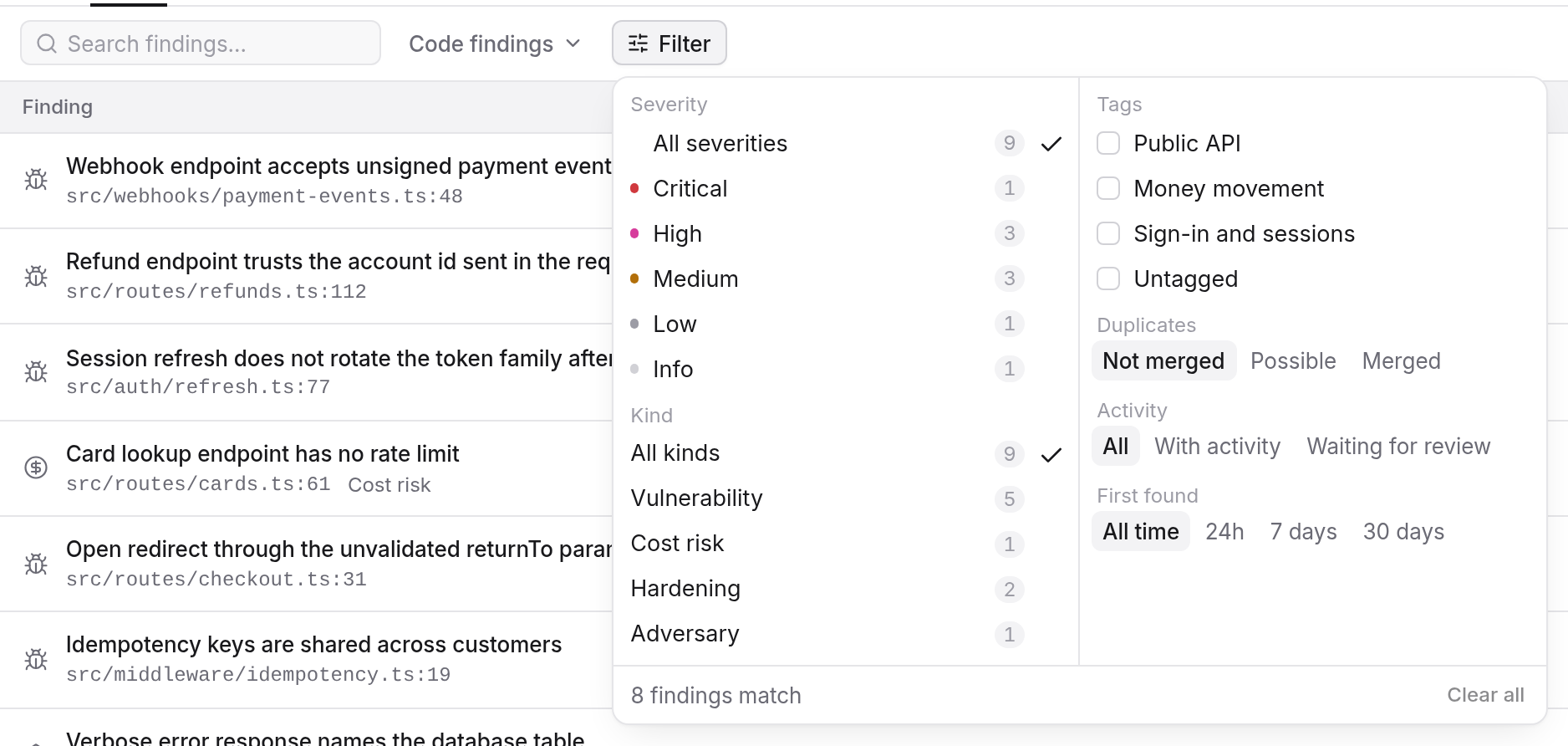
The list shows code findings by default. Its Show filter can switch to Dependency advisories, which are explained on Dependency advisories, or to Everything. If the project has tags, a tag filter appears with an Untagged choice.
Clear duplicates
Choose Possible under Duplicates, or Actions › Review possible duplicates…. The review groups each finding with the one it would keep. Tick the findings to act on, then choose Merge or Keep separate for the batch. When it finishes, Undo merges reverses what you merged. Details are on Duplicates and possible duplicates.
Decide each finding
Open a finding and read its evidence before acting: Reading evidence says what to check. Then use the Status menu on the finding. On an open finding it offers two moves:
- Accepted risk when a member decides to live with it. Later scans stop reporting it as new.
- False positive when it is not a real problem. Later scans stop reporting it.
A closed finding offers Open to reopen it. You do not set Fixed yourself: a later scan, a re-check or a reported fix does. A scan that sees the problem again reopens a fixed finding. Status proposed means an agent proposed one of the two moves, and nothing changes until a member accepts or dismisses it.
Statuses and what changes them covers every transition. To fix a finding, Go Fix offers to fix it, re-check it or answer questions about it.
Tip
Choose Waiting for review under Activity, then Review proposals…, to go through the proposals your agents have made in one pass.
Label what remains
A finding has zero or one tag. Members who manage findings set a tag or No tag on the finding page; the tag set itself is saved in the project's Tags settings (Security → Settings → Tags). See Tags. Filtering by tag combines choices with OR.
Export
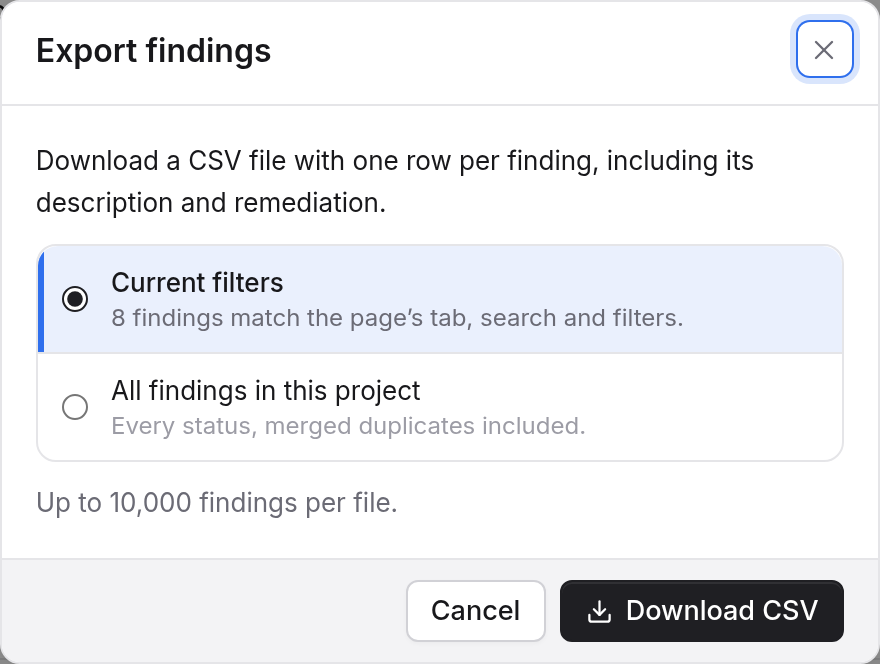
Choose Actions › Export findings…. The dialog offers Current filters or All findings in this project and Download CSV gives one row per finding, with its description and remediation. A file holds up to 10,000 findings, so narrow the list first if the project has more. See Export findings.
Check your work
To verify what is still open against the current code, Actions › Re-verify all findings… re-checks the matching open findings under the current filters. See Re-verify earlier findings.