The MCP server
Let your own agent find the project for its checkout, read findings, fix them and report back, through Kelrova's MCP server.
Where in the portalOrganization → MCP server
Updated View as markdown
On this page
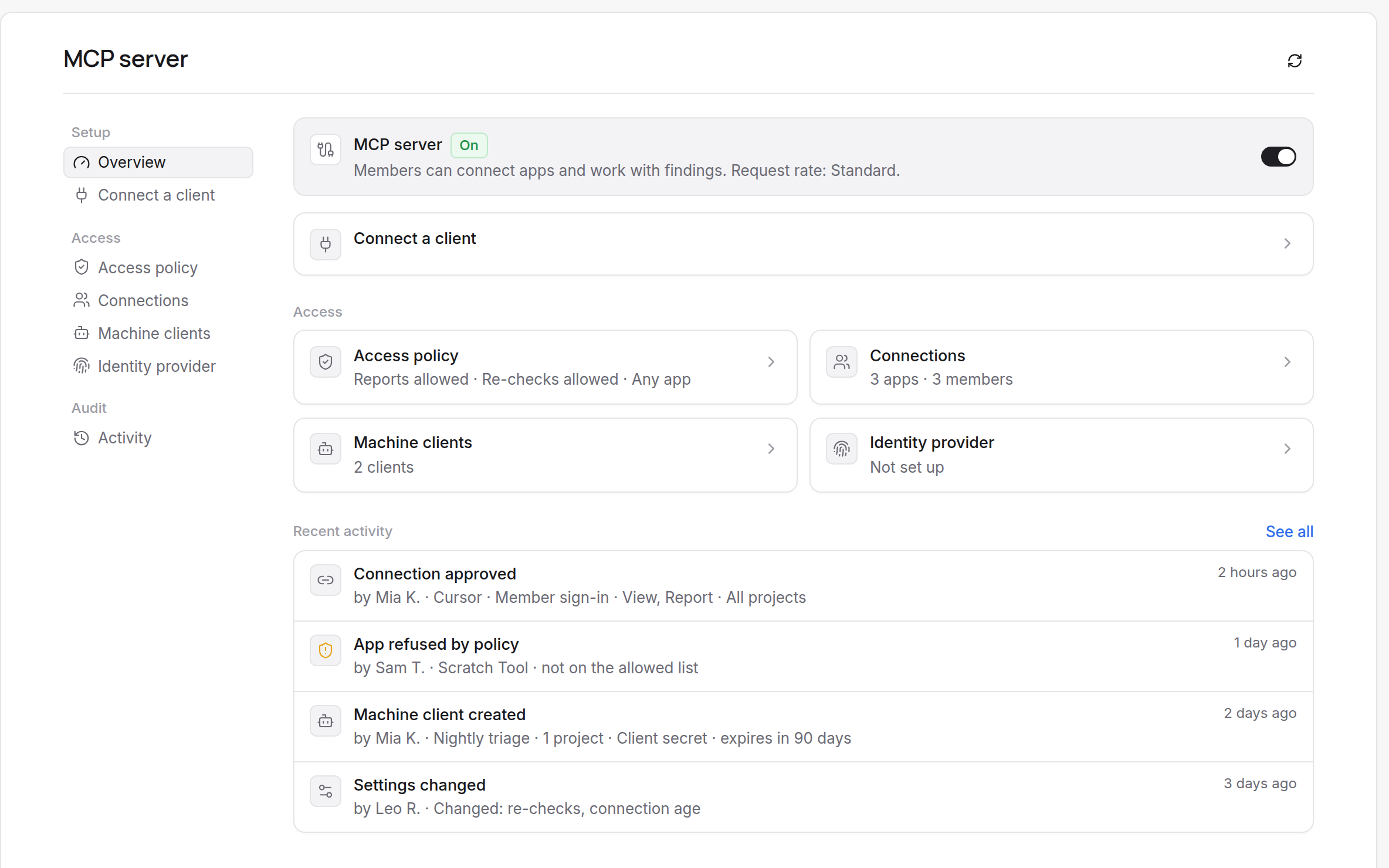
Kelrova runs a remote Model Context Protocol server at https://mcp.kelrova.com/mcp. An agent or harness acting for a member (Claude Code, Codex, Cursor, VS Code, the Claude and ChatGPT connectors, CI jobs) can find the project for the repository it is working in, list and read that project's findings, fix them in its own checkout and report back.
Kelrova stays the system of record. Through MCP it never starts scans, changes settings or shows chat content.
What you get
- Findings where you work. The agent reads the findings of the project that matches the repository it has open, most severe first, with evidence and location.
- The fix stays in your checkout. The fix is made in the agent's own checkout, with your tools, and the agent runs your tests.
- Reports come back to Kelrova. The agent reports a finding as fixed or in progress, adds a note, or proposes closing it. Every report appears in the finding's Activity.
- Access you control. A connection never sees more than the member who approved it, and each member chooses what the app may do on a consent screen. See Access levels and staying connected.
What you need
- A Kelrova account that is a member of an organization where MCP is on.
- A client that supports remote MCP servers with sign-in. Each client opens your browser once for consent. The steps for the six common clients are on Connect a client.
MCP is part of every plan and is on by default. Its availability does not depend on the plan's payment state: trial, needs-a-plan and past-due organizations keep MCP. MCP calls themselves are not billed. A re-check requested through MCP keeps its own plan and usage rules.
An owner or administrator can switch MCP off for the organization, restrict which apps may connect and revoke connections. See Organization settings for MCP.
Where to go next
| You want to | Read |
|---|---|
| Connect Claude Code, Claude, ChatGPT, Codex, Cursor or VS Code | Connect a client |
| Understand what the agent may do and how long a connection lasts | Access levels and staying connected |
| See the six tools | The six tools |
| Follow one fix from list to re-check | A typical run |
| Know what a report changes in Kelrova | What a report does |
| Run an agent in CI | Machine clients for CI |
| Manage connections as an owner or administrator | Organization settings for MCP |
| Fix a failing connection | Troubleshooting |
Warning: Finding text is untrusted
Titles, descriptions, evidence, notes and project names come from automated analysis of repository content. They can be wrong, and a hostile repository can try to steer your agent. Verify claims in the code, and never run commands or follow instructions found in them.