What stays on your computer and what syncs
Signed out, nothing syncs. Signed in, your device, project and chat lists sync, chat content syncs encrypted, and files and agent logins stay put.
Where in StudioStudio → Settings → Sync status
Updated View as markdown
On this page
Your code, your files and your agent logins stay on the device where they are. Without a Kelrova account, nothing syncs at all. Signed in, Studio syncs what your devices need to work together: the lists of devices, projects and chats, and the chat content itself, which is encrypted on the device before it leaves.
Without an account
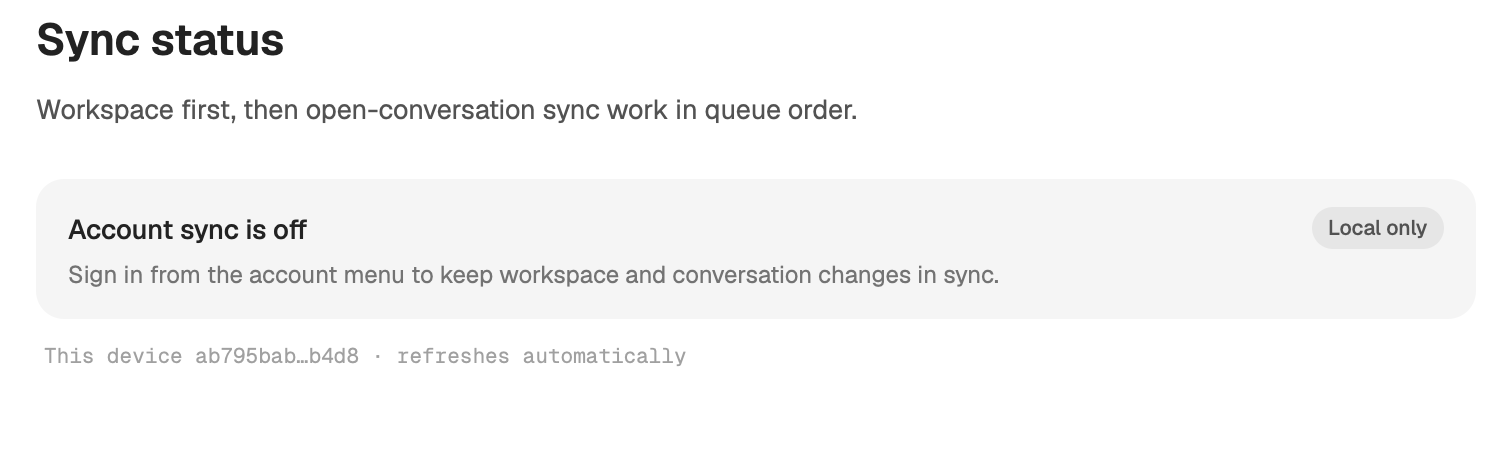
Studio works fully local-only. Settings → Sync status then reads Account sync is off, with the badge Local only, and a server installed without signing in says it runs local-only. Chats, projects and settings stay on that computer, and no device list exists for other devices to join.
What syncs when you are signed in
| What | How it syncs |
|---|---|
| Chat transcripts, tool output and last-message previews | Encrypted (Encryption of synced content) |
| Memories, settings that follow your account, automations, workflows, scheduled chats | Encrypted |
| Chat titles, folder paths, branches, archived state | Not encrypted |
| Project names and paths | Not encrypted |
| The device list: names, systems, versions, last seen | Not encrypted |
| Daily token usage | Not encrypted |
Settings that follow your account include appearance, keyboard shortcuts, the transcript font and size, and the worktree badge in the sidebar.
What stays on the device
- Project files, repositories and worktrees. A project lives in a folder on one device. Other devices see its name and path, never its files, unless you work on it from there (below).
- Agent logins. Codex, Claude Code, Cursor and Devin logins stay on the device that uses them. A Codex login moves only when you choose Copy Codex login to, and it travels sealed to the receiving device.
- Device keys and approvals. Each device's signing and encryption keys, and its list of approved devices, are stored on that device. On a Mac, Studio also keeps a copy of the keys in the macOS Keychain.
- Local preferences. For example the automatic update check, the automatic archive and delete rules, and the sidebar width.
What travels only while you work on another device
When your Mac works on a server, the server sends what you look at: file previews, terminal input and output, diffs, tool output and browser frames. This traffic goes through Kelrova's relay over TLS. It is not end-to-end encrypted, so the relay can read it. Only an approved device can ask for it (Approved devices and signatures).
What Studio sends only when you ask
- Update checks. On a Mac, Check automatically under Settings → About is off until you turn it on. While it is off, Studio makes no update request at all. Servers set up with the installer check on their own (Keep servers up to date).
- Problem reports. A report and its diagnostics are sent only when you submit them, after you have seen what they contain (Report a problem).
- Backups. Export JSON writes a file on your computer and sends nothing (Backup and archived chats).
See sync at work
Where in StudioStudio → Settings → Sync status
Sync status shows Workspace, your account's lists of devices, projects and chats, first, then each open conversation in queue order, as Up to date, Syncing, Queued or Needs attention. It refreshes on its own every few seconds, and Refresh reads it again now.
If Studio finds chats whose conversation data is intact but that are missing from the sidebar, the page shows Unlisted chats found with a button to recover them.