Complete, partial and cancelled runs
How a scan can end, what each ending keeps and costs, what makes a completed run partial, and how to read the result before acting on it.
Where in the portalSecurity → Scans → open a run
Updated View as markdown
On this page
A scan ends complete, partial, timed out, cancelled or failed, and a scheduled run can be skipped. Check how a run ended before you read its counts.
Where in the portalSecurity → Scans → open a run
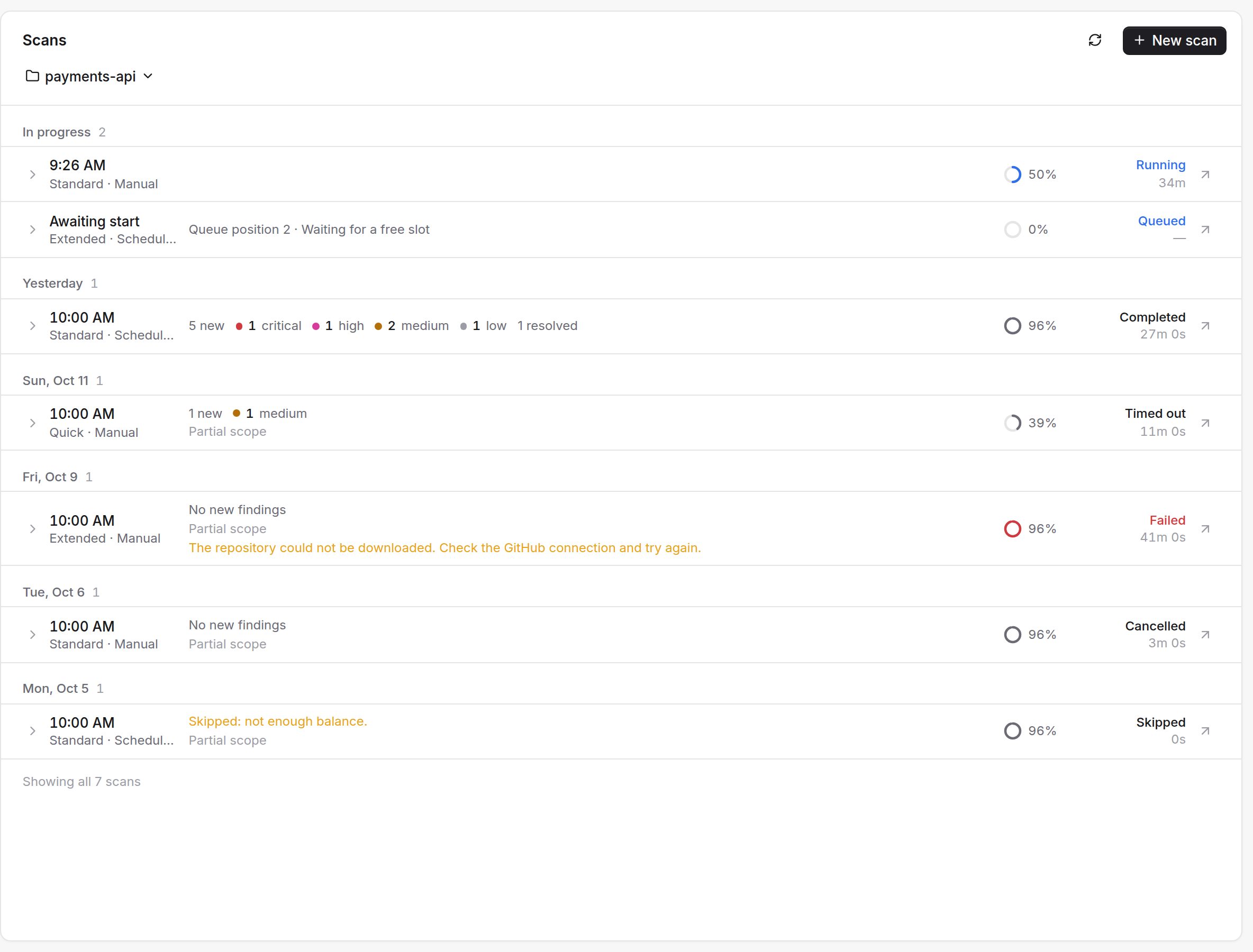
The endings
| Ending | What it means | Findings |
|---|---|---|
| Completed | The scan reviewed what it set out to review. | Kept |
| Completed · Partial | The scan finished but did not review everything. | Kept |
| Timed out | The time limit was reached. Counted as partial. | Kept |
| Interrupted | Something else ended the run early. Counted as partial. | Kept |
| Cancelled | You stopped it. | Reported so far are kept; nothing is resolved |
| Failed | "The scan could not be completed. Try again." | Verified findings are kept; a failure with no result has none |
| Skipped | A scheduled run that could not start, with the reason on its row, such as not enough balance. | None; nothing ran |
A scan that ends early still uses what it consumed. A scan with no accepted result, or with no usage, is not charged.
What makes a run partial
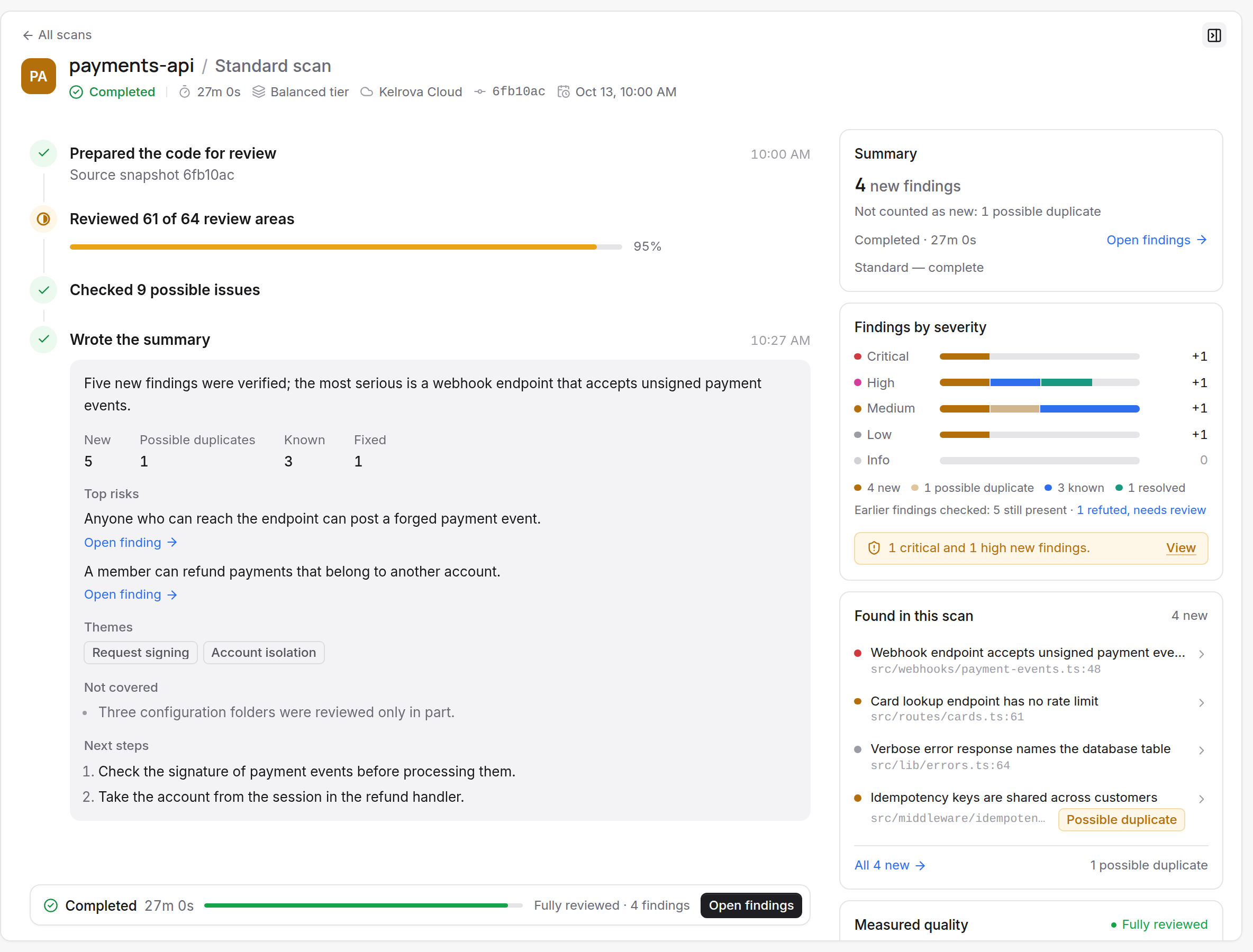
A completed run is marked partial when part of its selected work was not reviewed. The run's summary says "Review finished: no" with one coarse reason:
- The source could not be checked.
- The source changed during the scan.
- The time limit was reached.
- Some files were not reviewed.
- Some checks did not finish.
A run is also partial when it reviewed less than 70% of the files selected for its level. The run page leads its quality section with "N% of selected files reviewed", with a bar and the file counts.
A run can be partial even when it reviewed everything else. Files over 8 MiB are left out of every scan, and the reason reads "N files larger than 8 MiB were excluded from the scan." (one file reads "1 file larger than 8 MiB was excluded from the scan.")
A scan also stops short when your balance runs out. Quick on a large change set can end partial too. See When Quick applies.
Reading a result
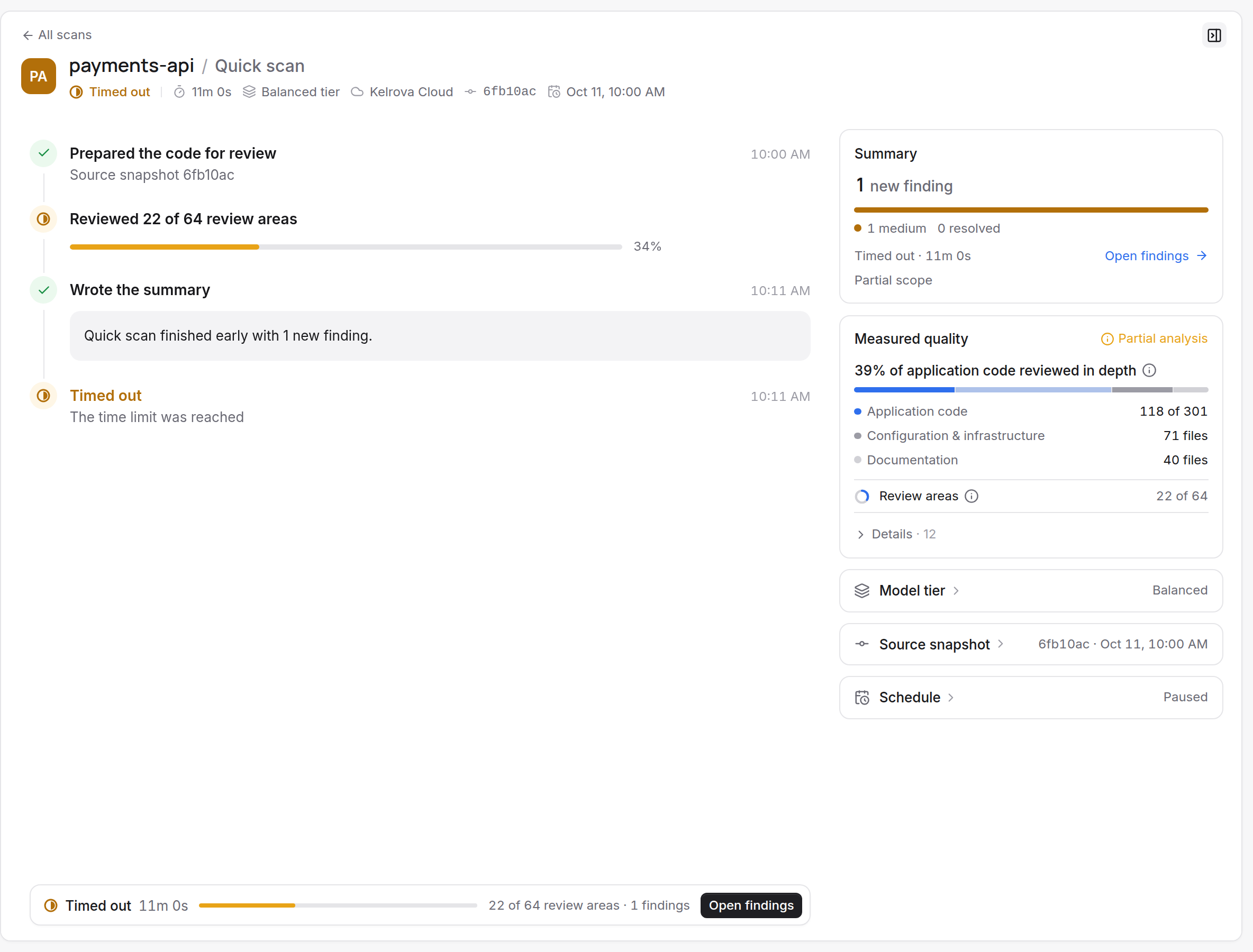
Look for the reason in two places. The last step of the run's timeline names it, such as "Timed out" with "The time limit was reached". The strip at the bottom of the page repeats it in one line, with the duration, the review progress and the finding count. Hover the strip for its full text.
On a finished run, the findings list has an "All N new" link. It opens the Findings page filtered to this run, shown as a chip you can clear. The chip reads "New in this scan", "Possible duplicates from this scan" or "Seen again in this scan", depending on the link.
A partial run's findings are real findings. What is missing is coverage: the areas it did not review can still hold others.
What to do after a partial run
You cannot continue a stopped scan. Every scan starts over, so run it again, with a narrower level if time or budget was the limit. The guide Finish a scan that ended partial walks through it.
If you only want to confirm earlier findings, re-verify them instead of running a full scan.