Scan levels
What Quick, Focused, Standard, Extended, Full and Adversary each review, how time and usage grow with depth, and which level to pick.
Where in the portalSecurity → Scans → New scan → Coverage
Updated View as markdown
On this page
Every scan has a level. Five coverage levels run from the changed files to the whole project, and Adversary reads it the way an attacker would.
Where in the portalSecurity → Scans → New scan → Coverage
The six levels
| Level | What it reviews | Pick it for |
|---|---|---|
| Quick | Files changed since the last completed scan. | A round of changes, such as a merged pull request. |
| Focused | High-risk entry points and the files behind them. | The riskiest code first, or a short look when time is tight. |
| Standard (default) | Every entry point and the files that handle it. | The first scan of a project, then regular scheduled scans. |
| Extended | Every entry point and application file, build pipelines included. | A release, or the scan after large changes. |
| Full | Every entry point, application and config file. It stops when budget or time runs out. | The most thorough review, such as before a major launch. |
| Adversary | The whole project the way an attacker would look at it, from more than one attacker's point of view. | Attack paths: how a weakness is reached, step by step, and who it affects. |
Adversary is available on Pro and above.
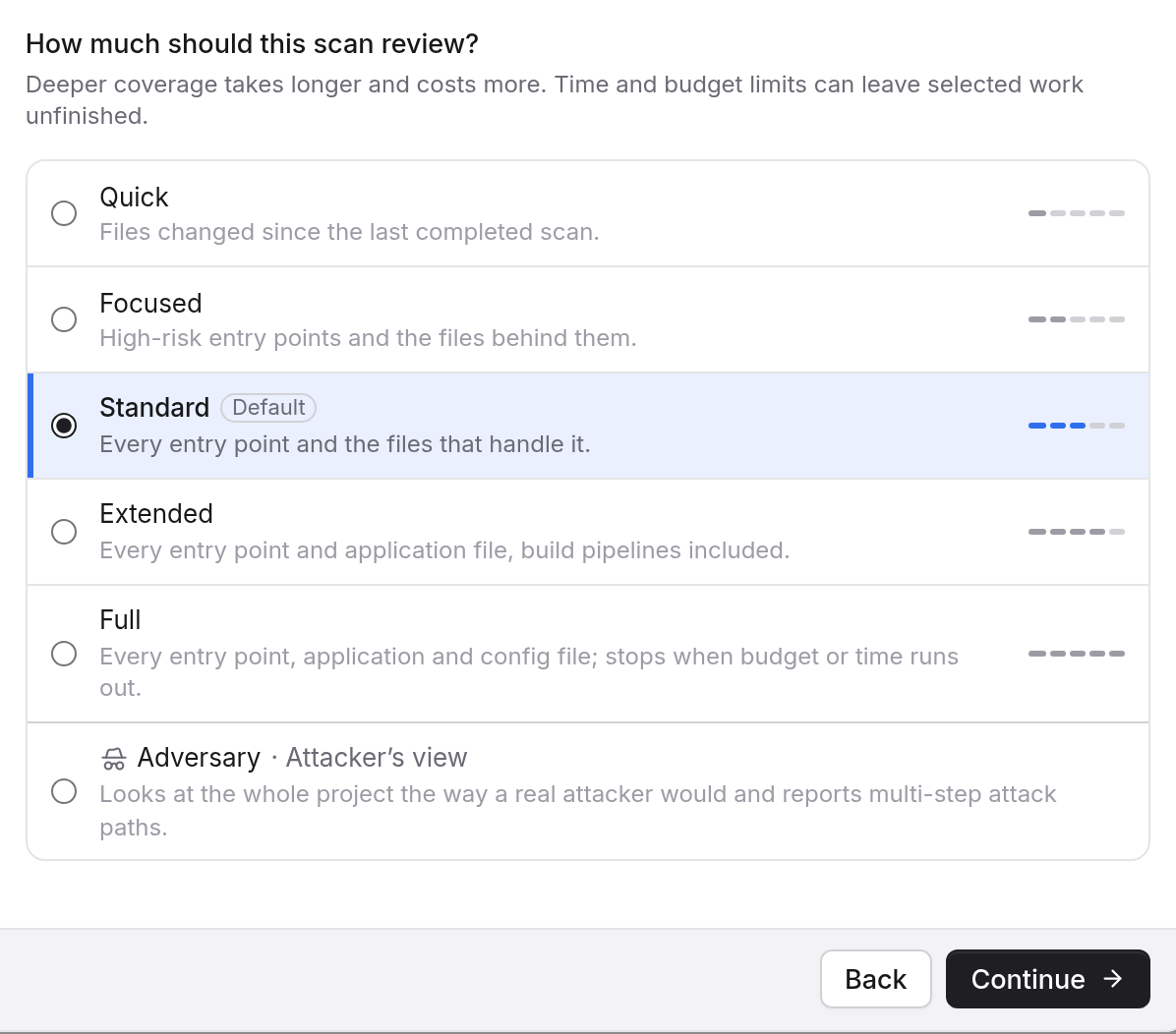
Time and usage
Deeper levels take longer and use more of your plan's usage.
- Quick: fastest, lowest cost.
- Focused: fast, low cost.
- Standard: moderate time and cost.
- Extended: longer, costs more.
- Full: longest, costs the most.
The dialog says so too: deeper coverage takes longer and costs more, and time and budget limits can leave selected work unfinished. Full is the clearest case, because it stops when its budget or time runs out. A scan that stops short ends as partial. See Complete, partial and cancelled runs.
The New scan dialog also shows an estimate for your level and tier before you start.
What your plan allows
A level your plan does not include shows a lock and the plan that includes it, such as "Unlocks with Pro". During the Basic trial, scans run at Quick and Focused. When Standard is locked, the Default badge sits on Focused instead.
Basic and Go cannot start Adversary scans or save Adversary schedules. Pro and Max include them. See Plans and the trial.
What an Adversary finding carries
- Every step on record. The attack path lists each step with its file and line.
- Who it reaches. One user, one tenant or all users.
- Fixed like any finding. Go Fix and chats get the whole chain.
Which level to start with
Keep Standard for a first look at a project. Use Quick after a change, once an earlier scan has completed. Move up to Extended or Full for a release or a launch, and add Adversary when you want attack paths rather than a list of weaknesses.