Finish a scan that ended partial
Read why a run stopped early, choose a narrower level or scope, run again, and re-verify the findings the partial run left open.
Where in the portalSecurity → Scans
Updated View as markdown
On this page
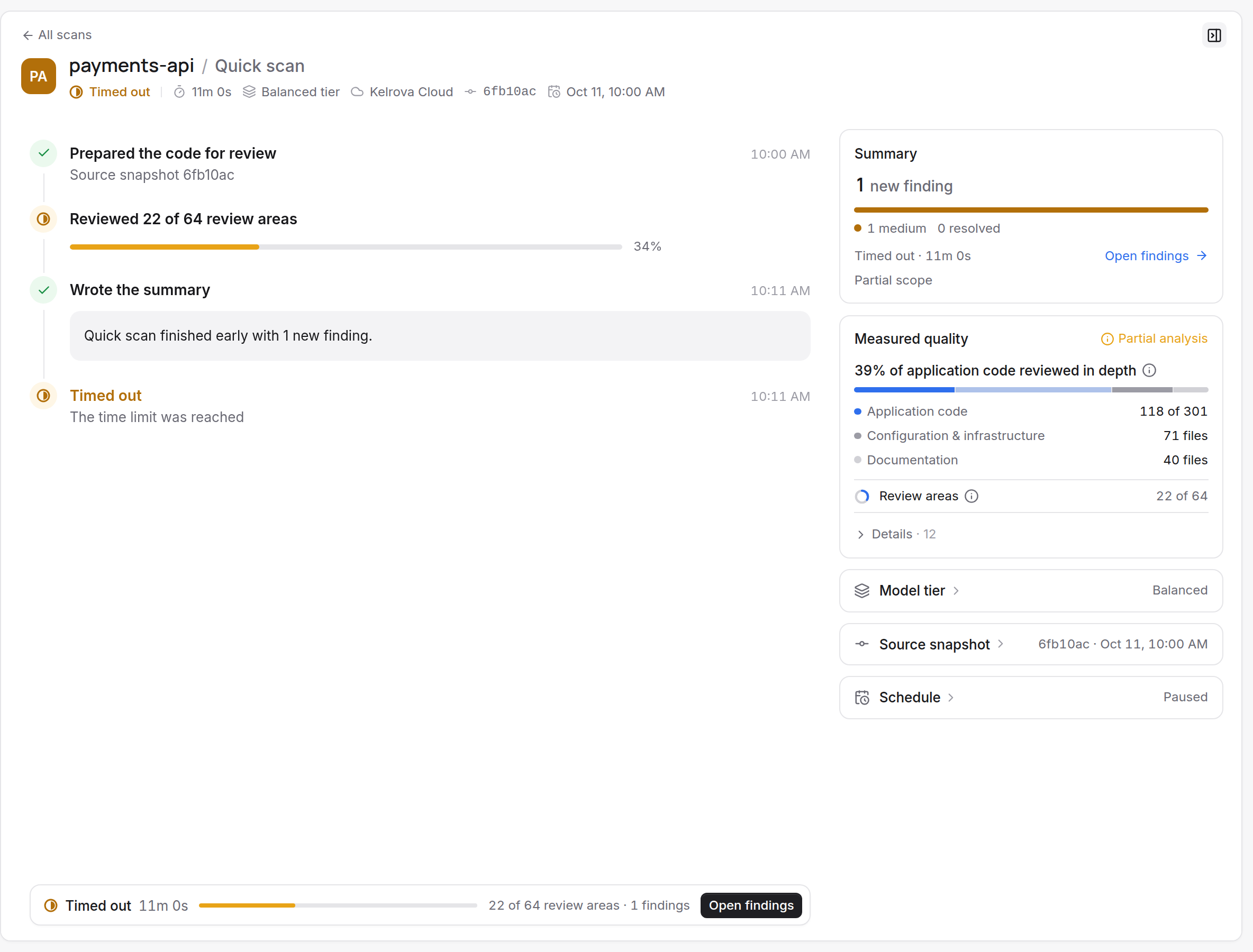
A partial run reviewed part of what it set out to review and says why. The run page still lists the findings it confirmed; the question is what was left. Read the reason first, because it decides whether to narrow the scan or simply run again.
Read the reason
Open the run from Scans. A stopped run shows a title such as Stopped early: time limit reached, and the run lists what was left in plain sentences. Complete, partial and cancelled runs covers every outcome.
| What the run says | What it means |
|---|---|
| Stopped early: time limit reached or work limit reached | The level's limits ended the run before every planned area was reviewed. It may show Reviewed 63% of planned areas |
| Selected scope reviewed N% | The run reviewed that share of the scope it selected |
| Stopped early: usage limit reached or spend limit reached | The plan's usage or the spend limit ended it |
| N files larger than 8 MiB were excluded from the scan. | Files over 8 MiB are skipped. This alone keeps a run partial even when the rest was fully reviewed |
| Some previous findings were left for the next scan. | Earlier findings were not all re-checked this time |
| The scan could not be completed; try again. | The run did not complete, and the portal says to try again |
| Stopped early: cancelled | Someone stopped it |
Narrow the level or the scope
For a time or work limit, the aim is a scan that fits.
Check the estimate before you start
On the Models step of the New scan dialog, a level other than Quick shows Covers N% of this project's files. Below 90%, or when the scan may overrun its time limit, it warns and can name a level that fits better. See The New scan dialog.
Reduce the scope
Exclude folders you never want reviewed, such as
vendor/, on the code source (Add a code source), or scan a project made of fewer sources (Set up a monorepo as several code sources).Or choose a lighter level
Scan levels compares what each reviews. Quick works from the last completed scan; When Quick applies lists when it is refused.
Run again
Choose New scan, pick the project and the level. A usage limit is a plan question, not a scope one: see What a scan uses and Billing, balance and invoices.
Re-verify what is still open
A partial run can leave earlier findings unchecked. Re-verify checks them against the current code without searching for new ones. On the findings list, choose Actions › Re-verify all findings…. The confirmation shows Matching open findings and Estimated time, and the history marks the run Verification.
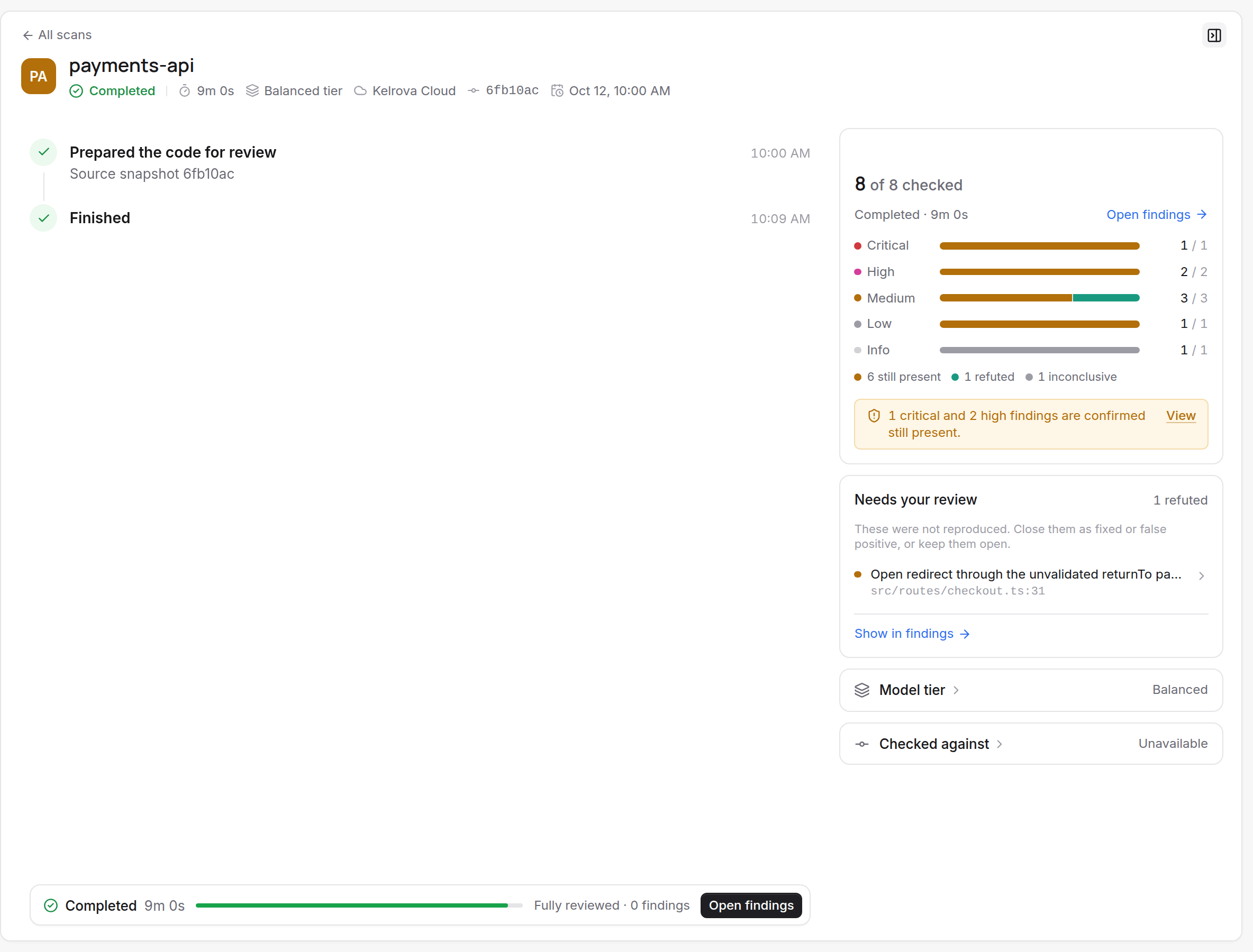
Re-verify applies to the open findings under your current filters, so set severity or tag filters first to start with what matters most. See Re-verify earlier findings.
Tip
If the run says to try again, do that before changing anything.