What a report does
What each report an agent sends changes in Kelrova: fixed, in progress, note, false positive and accepted risk, and where it shows in the portal.
Where in the portalSecurity → Findings → a finding → Activity
Updated View as markdown
On this page
An agent reports through report_finding_action. Kelrova stays the system of record, so a report changes a finding only as described here.
Effect of each report
| Report | Effect in Kelrova |
|---|---|
fixed | The finding becomes fixed at once, attributed to the member and to the client. Kelrova confirms it on the next scan of the tracked branch or on a re-check; a later scan that still sees the problem reopens it. Reporting an already fixed finding changes nothing. |
in_progress, note | Recorded in the finding's Activity. The status does not change. |
false_positive, accepted_risk | A note explaining why is required. The report becomes a proposal that a project member accepts or dismisses with the usual controls. It never changes the status by itself. |
A fixed report on a closed finding
If a member closed the finding as an accepted risk or a false positive, the report is recorded in its Activity with its evidence, and the status stays as the member set it. The result is noop and carries the unchanged findingStatus. Only a member can reopen such a finding, in the portal.
Proposals
If another proposal is already waiting, the report is refused as proposal_pending and kept as a note. Sending the same kind of proposal again from the same connection replaces the earlier one.
Where it shows
The portal shows every report in the finding's Activity, titled for example Reported fixed via the client name, with the pull request, commit and branch and the note.
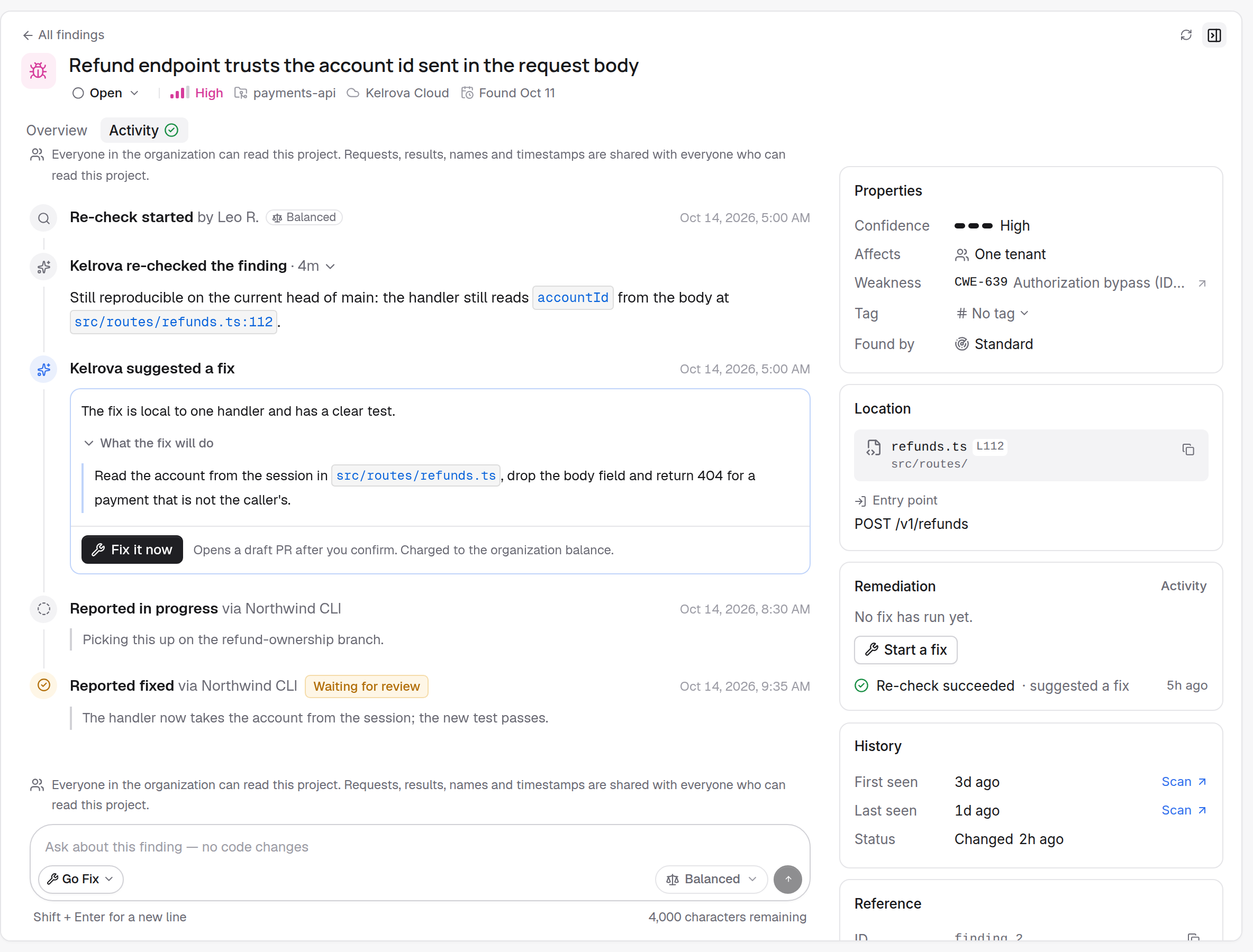
- A proposal waiting for a member reads Waiting for review.
- A report that changed nothing reads No change or Already fixed.
- A pending proposal also appears on the finding and in the list as Status proposed, labelled with the client that proposed it.
An agent can read the same history with get_finding_activity. See Statuses and what changes them.
Why a fixed finding can be open again
A fixed report is confirmed, not trusted. The next scan of the tracked branch, or a re-check, reopens the finding if the problem is still there.
Turning reports off
An owner or administrator can switch off Allow reports for the organization. The tool then answers write_disabled, and the project list tells agents reports are off. See Organization settings for MCP.