Read the run page
What the run page shows while a scan runs and when it finishes, and how to open a finding and decide what to do with it.
Where in the portalSecurity → Scans → a run
Updated View as markdown
On this page
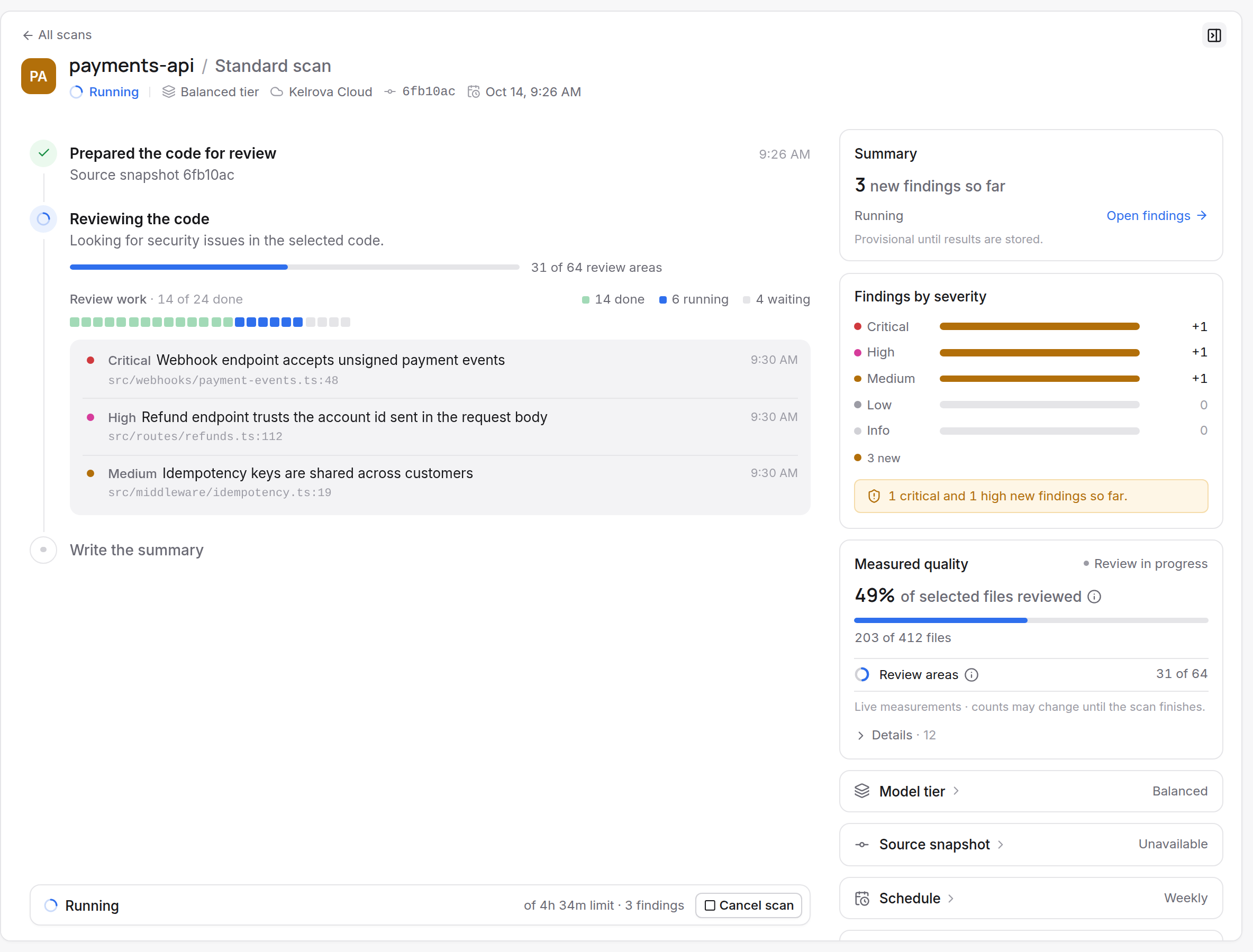
The run page shows the scan's progress and lists findings as soon as they are confirmed, most severe first. When the scan finishes, it tells new findings apart from ones an earlier scan already found.
When the scan finishes
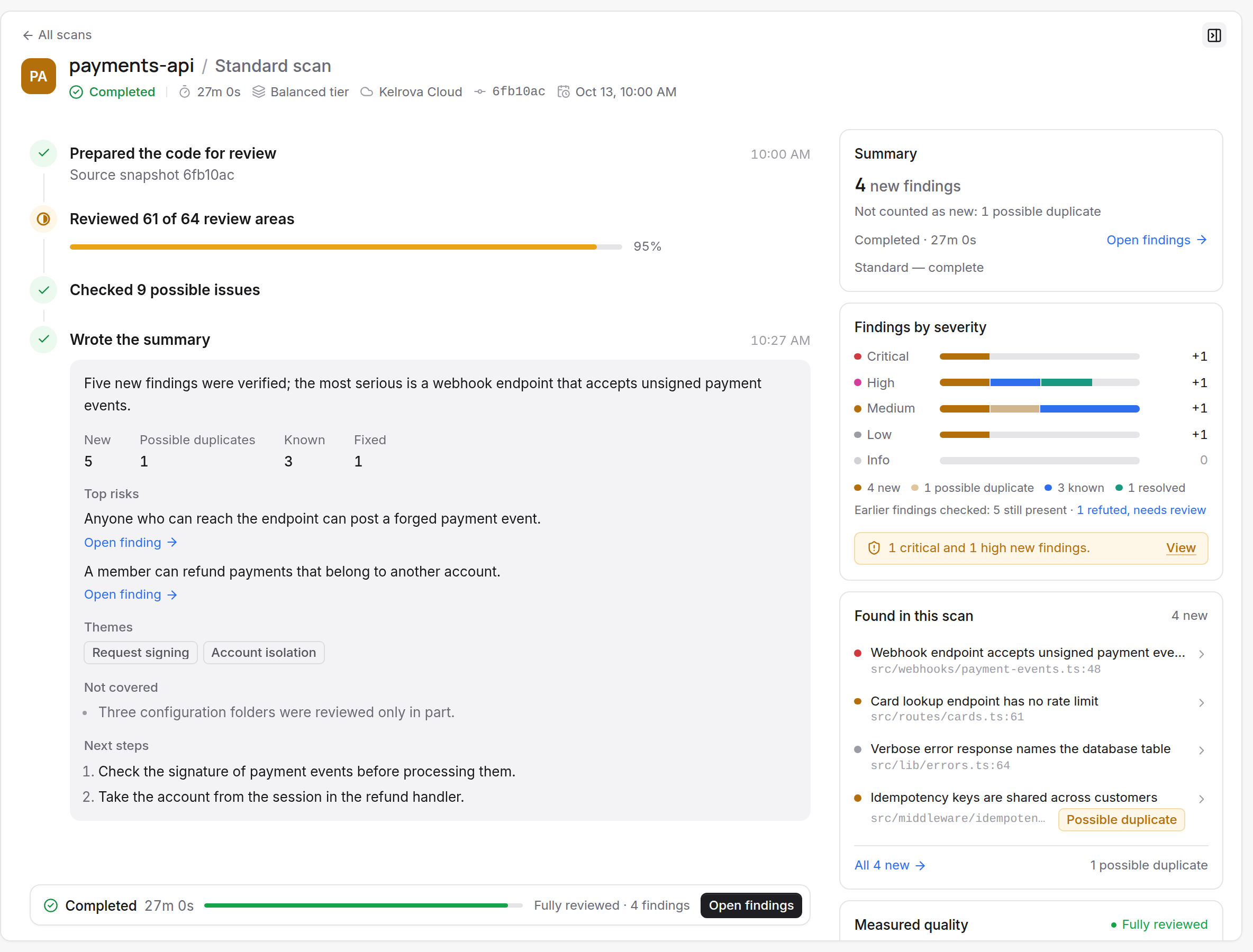
A run can end complete, partial or in another way, and the ending decides how far to trust its counts. Complete, partial and cancelled runs lists every ending and what it keeps. Files larger than 8 MiB are skipped automatically, and a scan that skipped any is reported as partial with the number skipped, even when everything else was reviewed.
Severities
Findings are ordered Critical, High, Medium, Low, Info.
Open a finding
A finding opens as a page with two tabs, Overview and Activity, and a Go Fix button.
- Overview is the article: the sections from What's happening to How to test the fix, then Location or Attack path, Evidence and History. Reading evidence covers the evidence.
- Activity lists what happened to the finding, in order, with who did it: status changes, fixes, re-checks and reports from connected apps.
- The Finding details panel beside the article holds the properties, the location or attack path, and where a fix stands.
An Adversary finding shows an attack path in place of a location, and Affects says whether it reaches one user, one tenant or all users. A dependency advisory says so when it is not known whether your code reaches the package. What a finding page shows names each part.
Tip
Finding text comes from automated analysis of repository content. Check its claims in the code before you act on them.
Decide what to do
| Status | Meaning |
|---|---|
| Open | Found and not resolved yet. |
| Unverified | Still counted as open, but the last scan did not confirm it again. |
| Fixed | A later scan or a re-check no longer finds it, or a fix was reported. If a scan sees the problem again, it reopens. |
| Accepted risk | A member decided to accept it; later scans stop reporting it as new. |
| False positive | A member marked it as not a real problem; later scans stop reporting it. |
A connected agent can propose False positive or Accepted risk. The finding shows Status proposed, and nothing changes until a member accepts or dismisses the proposal.
From any finding, Go Fix offers three things:
- Fix it now opens a draft pull request with the fix. The pull request links back to its finding. It skips the merge gates unless an owner turns on Review security fixes for a gate; see Merge gates.
- Re-check this finding checks it again against the code.
- Ask about this finding answers your questions about it.
When a later scan no longer finds a finding, it moves to Fixed. Statuses and what changes them has the full picture.
Next
Repeat the scan on a schedule with Scheduled scans, or fix findings from your own editor with The MCP server.