Create a project
A project groups the code sources of one product and decides who sees its scans and findings. Name it, tick its sources and choose its visibility.
Where in the portalProjects → New project
Updated View as markdown
On this page
A project groups the code sources that make up one product, such as its API and its web app, and decides who on your team sees its scans and findings. Scans run on a project.
Organization owners and admins create projects.
Open Projects
In the portal, open Projects and choose New project.
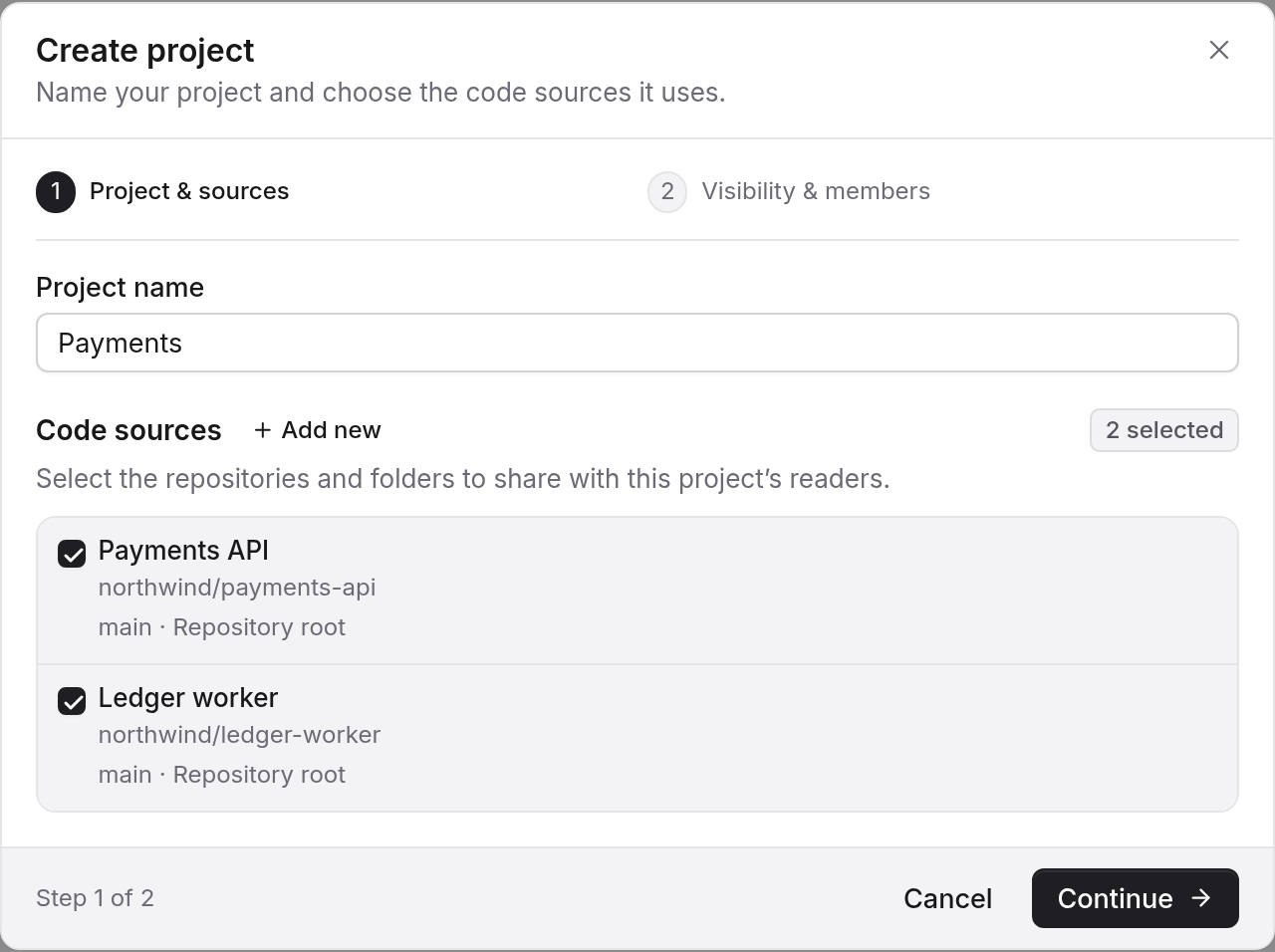
Name it and tick its sources
Enter a name and tick the code sources the project is made of. A code source can belong to more than one project.
Choose who can see it
Choose the project's visibility. A personal workspace skips this step.
Visibility
- Organization: everyone in the organization can view the project.
- Restricted: only the members you add can.
With Manage access, each member you add gets Viewer, Contributor or Maintainer. Project visibility and project roles describes what each can do.
Choose the sources with care
Everything about a scan follows the sources in the project:
- The tracked branch of each source is what gets reviewed.
- The excluded paths of each source apply, whichever project runs the scan.
- The Quick level compares every linked source with the last completed scan. The changed-file preview is unavailable for a project with more than 32 sources.
Next
Run your first scan on the project.