Severities
The five severities from Critical to Info, where they show in the Findings list and on a finding, and how to filter and sort by severity.
Where in the portalSecurity → Findings → Filter → Severity
Updated View as markdown
On this page
Every finding has one of five severities: Critical, High, Medium, Low or Info, from the most to the least severe.
The five severities
Severity is not the same as confidence. A finding carries both: its severity, and a Confidence of Low, Medium or High that appears in its properties.
The Findings list opens sorted by Newest found. To work from the top, sort by severity, as below.
Where you see it
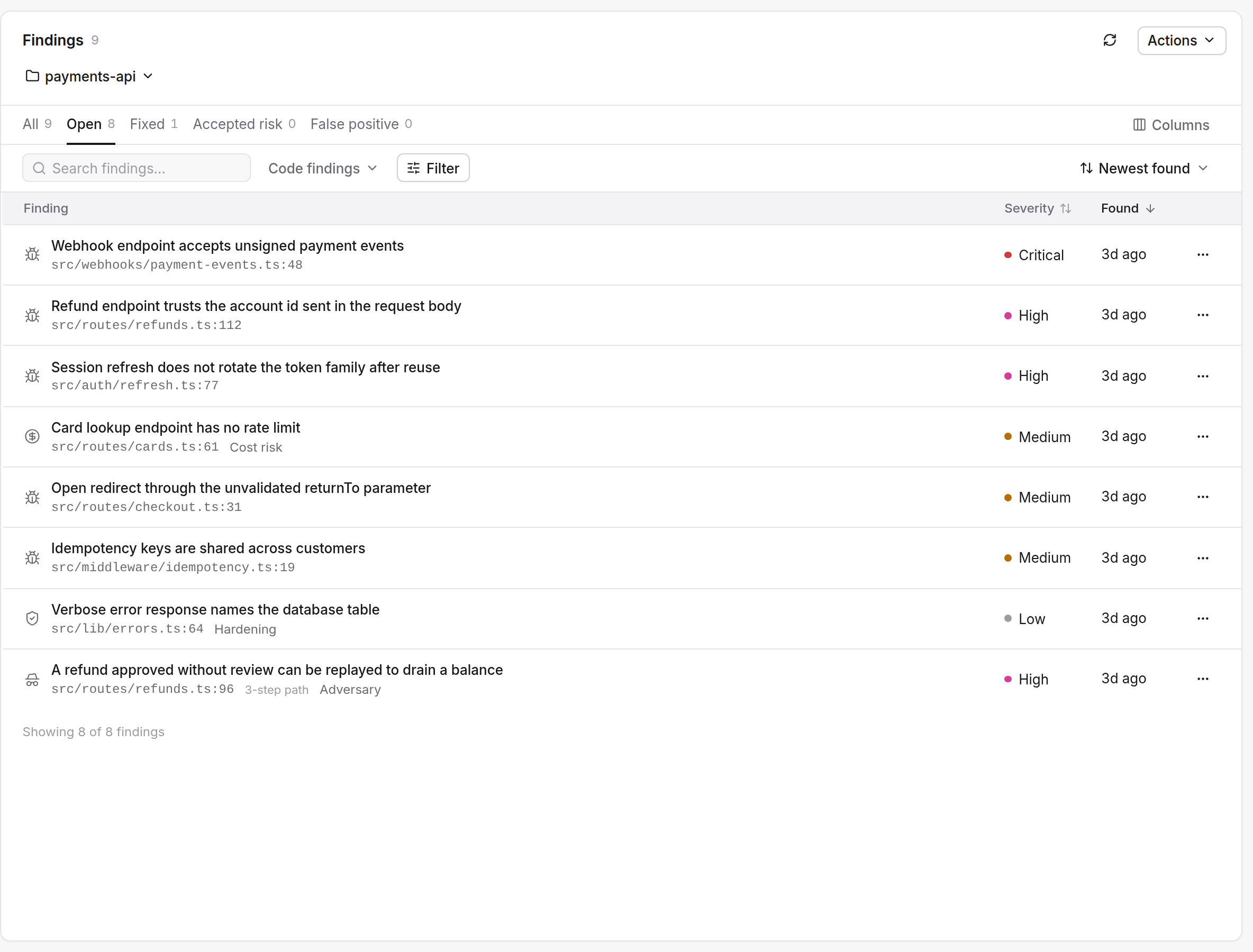
- In the Findings list, as a mark and a word on every row.
- In the finding's header line, as a four-step signal and its word.
- In the dependency view, once for each package and once for each advisory.
- In the summary email for a scan you started, which lists up to ten finding titles with their severity. See Email notifications.
Filter and sort
Filter by severity
Press Filter in the Findings list. The Severity section offers All severities, Critical, High, Medium, Low and Info, each with a count.
Sort by severity
Open Sort by and choose Highest severity or Lowest severity. The other choices sort by when a finding was found or last verified.
Your own agent lists a project's findings most severe first, and can filter by severity. See The six tools.
Severity in merge gates
A merge gate reviews a fix pull request and gives its own verdict from the severity of what it finds. Critical and High findings reject the change. Medium and Low findings are shown and never block. See Merge gates.
For the order in which to work through a list, see Triage a findings list.