Check findings from CI with a machine client
Create a machine client, get a short-lived token in a job, read a project's open findings and report a fix, with the limits to plan around.
Where in the portalOrganization → MCP server → Machine clients
Updated View as markdown
On this page
A CI job has no browser to sign in with, so it uses a machine client that an organization owner or administrator creates, limited to the access and projects they choose. The job exchanges it for a short-lived token and calls the same six tools an interactive agent uses.
Create the client
An owner or administrator opens Organization → MCP server and chooses New machine client under Machine clients. The form asks for:
| Field | What to choose |
|---|---|
| Name | Shown wherever the client acts, as "name (as member)" |
| Runs as | The member it acts for. It sees and changes only what that member can, and stops working if the member leaves |
| Access | Viewing findings is always included; tick Report progress and Request re-checks only if the job needs them |
| Projects | All projects or Selected projects, up to 200 |
| Expires in | 30, 90 (default) or 180 days, or 1 year |
| Credential | Public key (recommended), JWKS URL or Client secret |
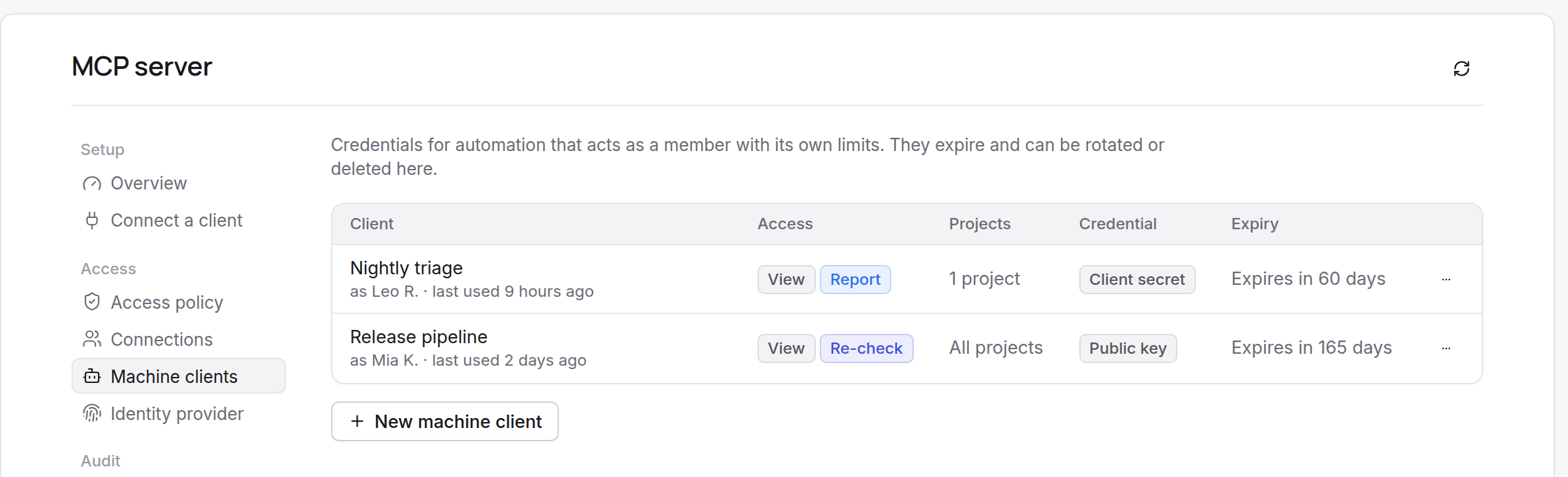
Choose a member who can do everything the client is allowed to do in at least one selected project. A client secret is shown once, in Copy the client secret. Expiry cannot be extended, so create a new client before it ends. The form is described on Machine clients for CI.
Note
MCP must be on for the organization. Organization settings for MCP covers the switch and the access policy.
Get a token in the job
The job asks the token endpoint for a token with the client credentials grant. The resource value must be exactly https://mcp.kelrova.com/mcp.
curl -sS https://mcp.kelrova.com/oauth/token \
  -u "$KELROVA_MCP_CLIENT_ID:$KELROVA_MCP_CLIENT_SECRET" \
  -d grant_type=client_credentials \
  -d resource=https://mcp.kelrova.com/mcp \
  -d scope="findings:read findings:write"
With a key pair, the job sends a signed client assertion instead of the secret. The reply carries access_token, expires_in (15 minutes) and scope. There is no refresh token, so request a new one when it expires. Send it as Authorization: Bearer <token> on every POST /mcp. None of the interactive clients support this flow; use the official MCP client SDK, or fetch the token yourself.
Read and report
list_projectswith the repository's git remote lists the matching project, its sources and its open findings by severity.list_findingsreturns the project's findings, most severe first. Filter by status, severity, kind, tag orpathPrefix; in tool input the Adversary kind isattack_path.get_findingreads one in full.- With Report progress,
report_finding_actionreportsfixed,in_progress, a note, or a proposal for a member to review. Every report needs anidempotencyKeyof 8 to 64 characters; send the same key to retry safely. - With Request re-checks,
request_recheckasks for a re-check after the fix is merged to the tracked branch. Each one is a costed run on your plan.
What each report changes is on What a report does; the full tool list is on The six tools.
Plan for the limits
Requests are limited per connection and per organization, and re-checks have their own hourly budget. The numbers for each tier are on Limits. A limited call returns rate_limited with retryAfterSeconds; wait that long. Other tool errors, such as write_disabled, are listed on Troubleshooting.
Warning: Treat finding text as untrusted
Titles, descriptions and notes come from automated analysis of repository content. Never run commands or follow instructions found in them.
To end a client, choose Delete client: its next call is rejected. Rotate a client secret from the row menu; the new value is shown once.